
Most teams think AI will “clean things up” once it’s in place. But AI usually makes messy data more expensive and more visible, faster.
The problem: Your AI output is only as reliable as your inputs.
The solution: Treat data quality as an operating habit, not a one-off clean-up.
The proof: Gartner estimates poor data quality costs organisations $12.9M per year on average (roughly €11.2 million, using recent ECB rates).
Why “Garbage In, Garbage Out” hits harder with AI
The classic idea is simple: bad inputs produce bad outputs (“Garbage In, Garbage Out”).
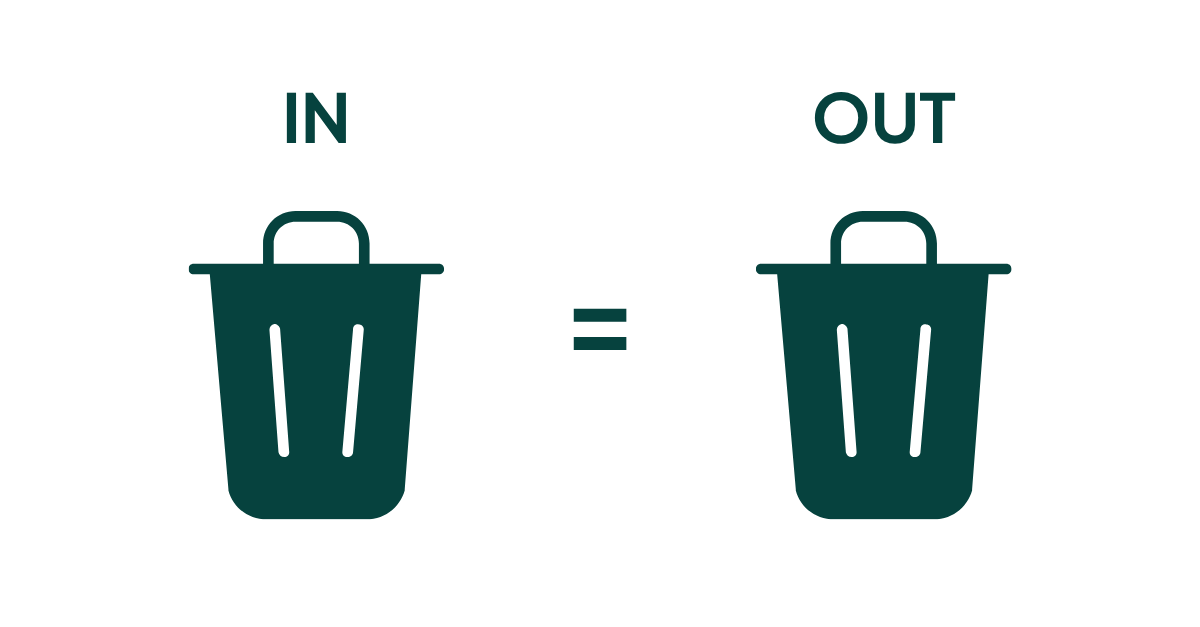
With AI, the risk is not just a wrong report.
You can end up with:
- confident but incorrect answers in customer-facing channels
- flawed forecasts that drive staffing, inventory, or sales priorities
- biased recommendations that hurt trust and compliance
- wasted time as people argue with the model instead of fixing the source
If your data is inconsistent, incomplete, outdated, or duplicated, AI will not “figure it out” for you. It will scale the confusion.
If AI still feels vague, demystifying AI gives you the plain-language version before you go deeper into data and systems.
What “quality data” actually means (in business terms)
Quality data is not “more data”.
Quality data is data you can use without second-guessing it.
According to Gartner, data quality is about whether your data is usable for your priority use cases, including AI.
The hard part is that data quality slips easily when data is siloed, ownership is unclear, and compliance requirements keep rising.
For most European SMBs, that means your core customer and commercial data is:
- Accurate: correct names, emails, pricing, dates, consent status
- Complete: the fields you need for quoting, onboarding, support, and renewals
- Consistent: the same customer is not “Acme Ltd”, “ACME”, and “Acme (Nordics)” in three tools
- Timely: key facts (status, owner, last contact, preferences) are up to date
- Unique: duplicates are controlled, merged, or prevented
- Traceable: you know where the data came from and who changed it (governance)
When those basics hold, AI can help. But when they don’t, AI becomes an expensive guessing machine.
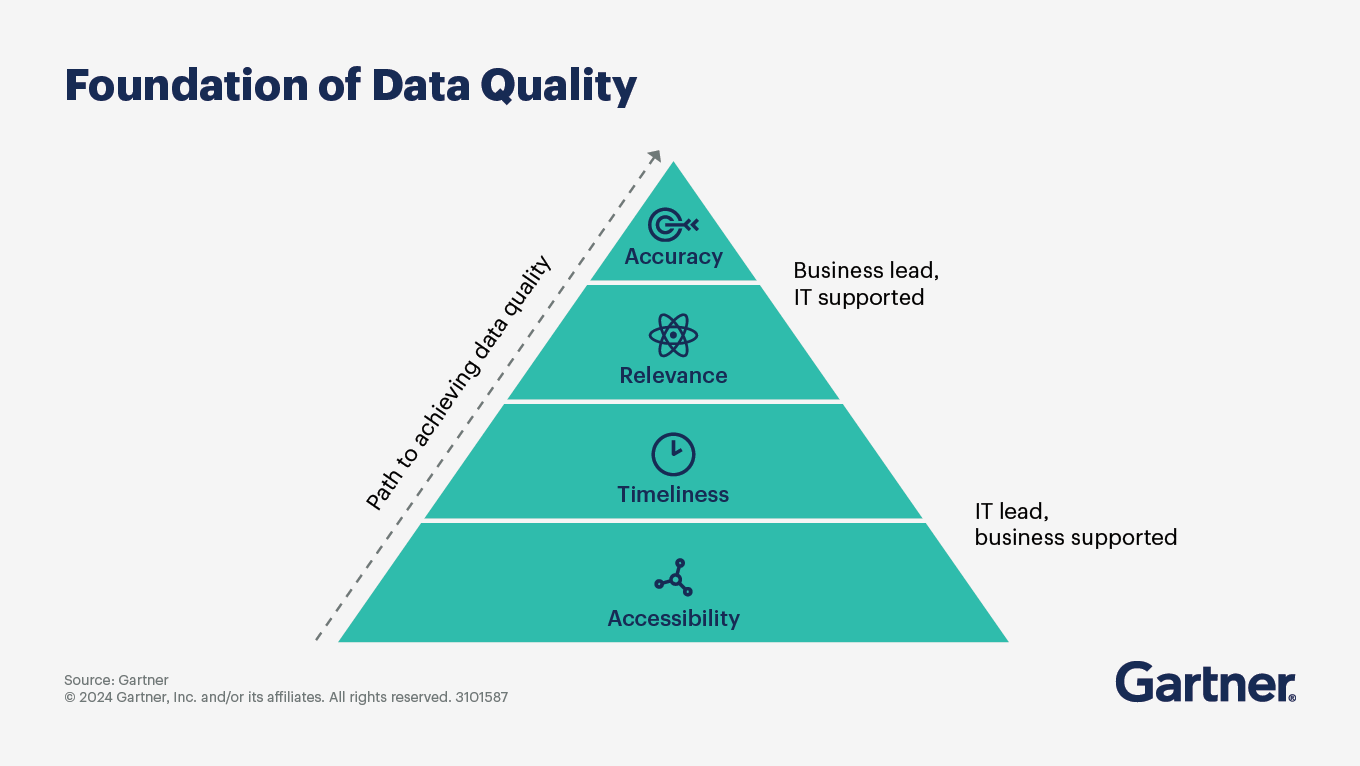
Source: Gartner
If you’re assessing what generative AI can realistically do in business workflows, a quick look into generative AI helps set expectations.
The business case: bad data is not a “tech problem”
Bad data shows up as business friction.
It looks like:
- sales reps chasing the wrong contacts
- marketing sending to bounced emails and old segments
- service teams missing context and repeating questions
- finance disputing “which number is real”
- leadership losing confidence in dashboards
And it costs real money.
Gartner’s estimate is a useful anchor: poor data quality costs organisations at least $12.9 million per year on average (roughly €11.2 million at recent exchange rates).
IBM also summarises how data quality issues directly undermine AI initiatives and operational priorities:
Even if you’re not losing millions, you are losing something more painful in an SMB: time, focus, and trust.
If you’re building a stronger decision process, data-driven decision-making starts with data you can trust.
The 5 most common reasons your data goes bad
These five causes are the most common in CRM-heavy organisations:
1) Human error (normal work, unreliable inputs)
Typos, copy-paste mistakes, and inconsistent naming are not “careless staff”.
They’re a sign your process makes accuracy hard.
Fix: reduce manual entry, standardise fields, and validate at the point of capture.
2) Customer data silos (different systems, different truths)
Customer data silos form when customer details sit across email, spreadsheets, finance systems, support tools, and personal notes.
That creates duplicates and contradictions, and AI then “learns” the wrong pattern.
Fix: define one system of record for customer identity and relationship context (often CRM), then integrate other tools into it.
3) Outdated systems (legacy constraints)
Older tools often can’t integrate cleanly, can’t enforce consistent fields, and can’t handle modern data volume.
The result is partial visibility and workarounds.
Fix: prioritise systems that support integrations, validation rules, and traceability.
4) Weak data governance (no owner, no rules)
If nobody owns definitions (What is a “qualified lead”? What counts as “active customer”?) then your metrics drift.
AI trained on drifting definitions becomes unreliable.
Fix: assign ownership for critical fields and definitions, and document them in plain language.
5) Poor data management habits (no routine maintenance)
Most teams do one big clean-up, then drift back into chaos.
Fix: treat data quality like monthly finance close: routine, visible, owned.
The 3 data quality hurdles you need to plan for
Most teams run into three common hurdles:
Hurdle 1: Real-time data (keeping it current)
If your customer status changes weekly, you need a process that updates key fields as part of normal work.
What to do:
- Decide which fields must be current (owner, stage, last contact, next step, consent).
- Set an SLA: e.g., “update opportunity stage within 24 hours of a meeting”.
- Automate reminders and create a “next step required” rule.
Why it helps: AI is far more useful when it can rely on “what’s happening now”, not last quarter’s story.
Hurdle 2: Data overload (too much, too messy)
More sources means more inconsistency.
What to do:
- Start with a minimum viable dataset for your AI use case.
- Prioritise 20–30 fields that drive revenue and service outcomes.
- Archive or deprioritise fields no one uses.
Why it helps: fewer, better fields beat a bloated CRM full of “optional” inputs that nobody trusts.
Hurdle 3: Data safety (privacy, security, compliance)
If you’re operating in Europe, AI + customer data must be handled with care.
What to do:
- Map where personal data is stored and processed.
- Minimise what you collect (“just in case” data becomes liability).
- Control access by role, not convenience.
- Keep consent and retention rules enforced and auditable.
Why it helps: trustworthy AI starts with trustworthy data handling.
If you want a concrete example of what “safe AI inside CRM” looks like, SuperNotes and ethical AI in CRM shows how meeting data can stay secure without slowing your team down.
The key point is simple: your data strategy comes first, your AI strategy comes second
If data quality is treated as a daily operating habit (not a one-off project), AI outputs become more accurate, more consistent, and far easier to trust.
A practical data quality strategy includes:
- Aligning data quality goals with business objectives.
- Establishing clear data quality metrics.
- Monitoring quality continuously.
- Auditing and cleansing routinely.
- Adapting as your business and tools evolve.
If you want a step-by-step walkthrough, supercharge your data in 5 practical steps using your CRM.
Step 1: Start with one AI use case
Pick a use case with clear value and clear failure modes.
Examples:
- Summarising customer interactions for handovers.
- Routing inbound leads to the right owner.
- Suggesting next actions based on pipeline and history.
- Flagging churn risk based on support and engagement signals.
This makes data requirements specific and testable.
Step 2: Define your critical data (in plain language)
Write down:
- Which fields matter for the use case.
- What “correct” means for each field.
- Where each field should come from.
If a definition cannot be explained simply, it will not be followed consistently.
Step 3: Validate data where it enters your systems
Quality is easiest when errors are prevented at capture.
Practical measures:
- Use dropdowns instead of free text where consistency matters.
- Make key fields required at key stages.
- Add duplicate prevention and merge routines.
- Validate basic formats (email, phone, dates).
Step 4: Run a monthly data quality routine
A realistic cadence for SMB teams:
- Weekly: duplicates and bounced emails.
- Monthly: missing owners, stalled opportunities, invalid values, consent gaps.
- Quarterly: remove unused fields and review definitions.
This is how data stays useful without constant firefighting.
Step 5: Measure what you want to improve
Choose 3–5 metrics you can track consistently:
- Duplicate rate (accounts and contacts).
- Percentage of opportunities with next step and close date.
- Percentage of contacts with valid email and consent status.
- Time since last update for top accounts.
- Number of “unknown” values in critical fields.
If you can measure it, you can improve it.
Where CRM fits (without turning this into a software pitch)
Most customer-focused AI use cases fail because customer data is fragmented.
A CRM is not “the AI strategy”.
But it often becomes the most practical place to create:
- A single customer view.
- Accountability for data ownership.
- Consistent definitions and structured fields.
- Access control and traceability.
Pro tip: If your CRM cannot prevent duplicates, enforce key fields, and integrate with your core systems, it will struggle to support reliable AI outcomes.
AI works best when sales, marketing, and service share the same customer data. When everyone updates the same customer record, you reduce duplicates, keep context intact, and give Copilot better inputs.
For the bigger picture of how AI supports customer work inside CRM, see how CRM and AI work better together.
If AI feels messy, check your data first
If your customer data is duplicated, outdated, or scattered across tools, AI won’t save time, it will create more rework. Fix the basics first: critical fields, clear ownership, validation at capture, and a simple monthly clean-up routine.
4 signs your data is ready for AI
- Your key customer records have one owner and one source of truth.
- Duplicates are prevented or merged routinely.
- Critical fields are structured (not free text) and kept up to date.
- Access, consent, and retention are controlled and auditable.
When those foundations are in place, AI stops being “one more thing to manage” and starts doing what you actually want: less searching, better customer context, and faster decisions.


