
In short
Microsoft Dynamics 365 is a powerful enterprise platform that works best for large organisations with dedicated IT teams, deep Microsoft ecosystem investments, and complex operational requirements. SuperOffice is purpose-built for European B2B companies that want a CRM platform their teams will actually adopt, with fast setup, EU data hosting by default, suite-based pricing that includes sales, marketing, and service across every plan, and no need for an implementation partner or certified admin. On G2, SuperOffice holds a 4.4/5 overall rating against Dynamics 365 Sales’ 3.8/5, and leads clearly on ease of use, setup, and support. If your team is under 500 people and you want to be live in weeks rather than months, the comparison is worth taking seriously.
Comparing SuperOffice and Microsoft Dynamics 365 for your business?
Both are established CRM platforms that promise better pipeline visibility, stronger CRM benefits, and more connected teams. But they are designed for fundamentally different types of organisations, and the gap in day-to-day experience is significant.
Microsoft Dynamics 365 is part of the broader Microsoft ecosystem, combining CRM and ERP functionality across a suite of modular products. It is deeply integrated with Microsoft 365, Teams, and Azure, and is built for organisations that already run on Microsoft infrastructure and have the internal resources to configure and maintain a complex platform.
SuperOffice has been building CRM for European B2B companies for over 30 years. The goal has always been the same: a CRM that sales, marketing, and service teams will use, because it's built around how they actually work. One integrated platform, EU data hosting as standard, and an implementation that takes weeks, not months.
In this article, we compare SuperOffice CRM vs Microsoft Dynamics 365 on the things that matter most to growing European B2B businesses: usability, implementation, pricing, GDPR compliance, and long-term fit.
Why compare SuperOffice and Microsoft Dynamics 365?
Both platforms appear on European B2B shortlists. Both are credible, established systems with strong customer bases. And both can manage contacts, track pipelines, and connect customer data across teams. If you’re comparing structures more broadly, our guide to types of CRM is a useful primer before you go deeper here.
But the experience of using them, and the cost of running them, diverges sharply once you look past the feature list.
Dynamics 365 is a modular enterprise platform. Sales, marketing, customer service, field service, and finance are separate applications, each with their own licensing, configuration requirements, and integration needs. For organisations that need all of that, and have the IT team to manage it, the platform is genuinely powerful.
For a European B2B company with a focused sales team and a need to move quickly, it is often more platform than the job requires. For a typical SMB with 20 to 30 users covering sales and customer service, implementation services alone typically run between $40,000 and $80,000, before licensing, training, data migration, or ongoing support.
SuperOffice is purpose-built for the European B2B market. It does not try to be an ERP. It does not require a certified implementation partner. It is a CRM, for sales, marketing, and service, that is designed to be deployed quickly, adopted easily, and used every day.
That distinction matters when you are making a decision that affects how your team works for the next three to five years.
SuperOffice CRM vs Microsoft Dynamics 365: head-to-head comparison
See how SuperOffice and Dynamics 365 compare on the features that matter most to European B2B teams.
| Feature | SuperOffice CRM | Dynamics 365 |
| Origin | Norway European-built, GDPR-first by design | USA – global platform, part of the Microsoft ecosystem |
| Focus | Full B2B CRM for sales, marketing, and service | Modular enterprise platform spanning CRM, ERP, finance, and operations |
| Easy to use | Fast Track templates for guided setup; user-friendly interface | Powerful but complex; steep learning curve; typically requires training and admin support |
| Overall G2 rating | 4.4/5 (177 reviews) | 3.8/5 /1,621 reviews Dynamics 365 Sales) |
| Ease of use (G2 score) | 8.7/10 | 7.5//10 |
| Ease of setup (G2 score) | 8.1/10 | 7.2/10 |
| Quality of support (G2 score) | 8.8/10 | 7.5/10 |
| Overall CRM feature depth (G2 category score) | 7.2/10 | 7.8/10 |
| Sales tools | Guided pipelines, sales automation, forecasting, AI-assisted follow-up | Strong sales tooling in Sales Professional and Enterprise; feature depth increases with plan tier |
| Marketing | Built-in email marketing, automation, and web forms across all plans | Customer Insights (formerly Marketing) is a separate application with its own licence |
| Customer service | Shared inbox, case management, and service requests, built in and included | Dynamics 365 Customer Service is a separate module with separate licensing |
| Customisation | High configuration flexibility without developers; adaptable to your process out of the box | Extremely customizable, but typically requires certified Dynamics partners or internal IT resource |
| Mobile app | Full-featured mobile CRM included | Mobile app available; capability varies by module and plan |
| AI and automation | AI and CRM built into all modules; SuperNotes for real-time meeting capture; AI and automation across sales, service, and marketing | Microsoft Copilot integrated across Dynamics; advanced AI scenarios billed separately via Azure |
| Integrations | SuperOffice AppStore ecosystem, ERP and CRM, Outlook, Microsoft 365, Gmail, Power BI, and European-specific integrations | Deep native integration with Microsoft 365, Teams, and Azure; strong for organisations already on Microsoft stack |
| GDPR compliance | GDPR compliance built by design; EU hosting included; ISO-certified infrastructure; consent management built in | GDPR compliant; EU data residency available; configuration required depending on deployment |
| Data hosting | European servers, included on all plans, no additional configuration needed | Hosted on Microsoft Azure; EU region available but requires configuration |
| Deployment | Cloud or on-premise | Cloud (Azure) or on-premise for select products |
| Implementation | Days to weeks with Fast Track templates; no external partner required | Typically 3–12 months; most SMB implementations require a certified Dynamics partner |
| Support | Local-language support and in-region teams across Europe | Global support via Microsoft and partner network; local experience varies |
| Pricing | Suite-based pricing: sales, marketing, and service all included across every plan; capabilities scale from €45/user/month | Sales Professional from $65/user/month; separate licences required for marketing (Customer Insights) and service modules |
G2 scores sourced from G2’s Dynamics 365 Sales vs SuperOffice CRM comparison page, July 2026. Dynamics 365 pricing sourced from Microsoft’s official pricing page, current as of mid-2026.
Which CRM is right for your sales team?
Choose SuperOffice CRM if you want:
1. A CRM your team will want to use
The most expensive CRM is the one your team avoids. This Is also why understanding why sales people need CRM in the first place matters more than any feature list.
SuperOffice is designed around the people doing the work: sales reps, service teams, and marketing managers who need a tool that fits their day, not one that adds to it. From marketing automation and email outreach to sales follow-up and customer service, everything runs in one seamless customer experience.
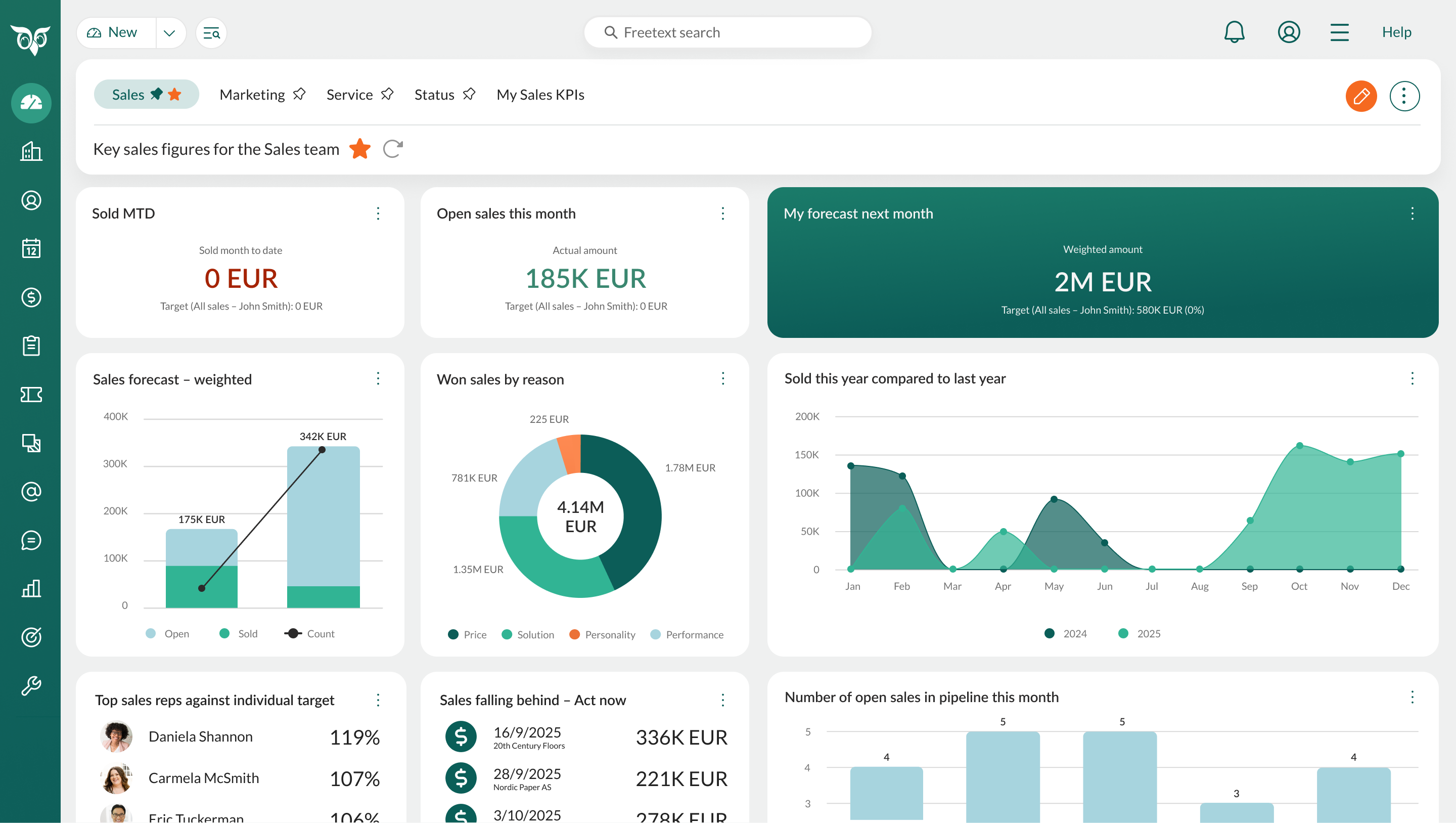
Adoption is where CRM investments succeed or fail. On G2, SuperOffice scores 8.7/10 on ease of use against Dynamics 365 Sales’ 7.5/10, and 8.1/10 on ease of setup against 7.2/10. A system that is too complex to use consistently produces bad data, lost deals, and frustrated teams. SuperOffice is built to solve that problem first.
2. EU data hosting and GDPR compliance, without the configuration overhead
For European businesses, data residency is not an optional extra. It is a legal and commercial baseline.
SuperOffice hosts all customer data on European servers, included as standard across all plans. No additional configuration. No higher-tier upgrade required. GDPR compliance is built into the platform, with consent management, ISO-certified infrastructure, and transparent data processing from day one.
You do not need to verify where your data is. It is already in Europe.
3. One integrated platform for sales, marketing, and service
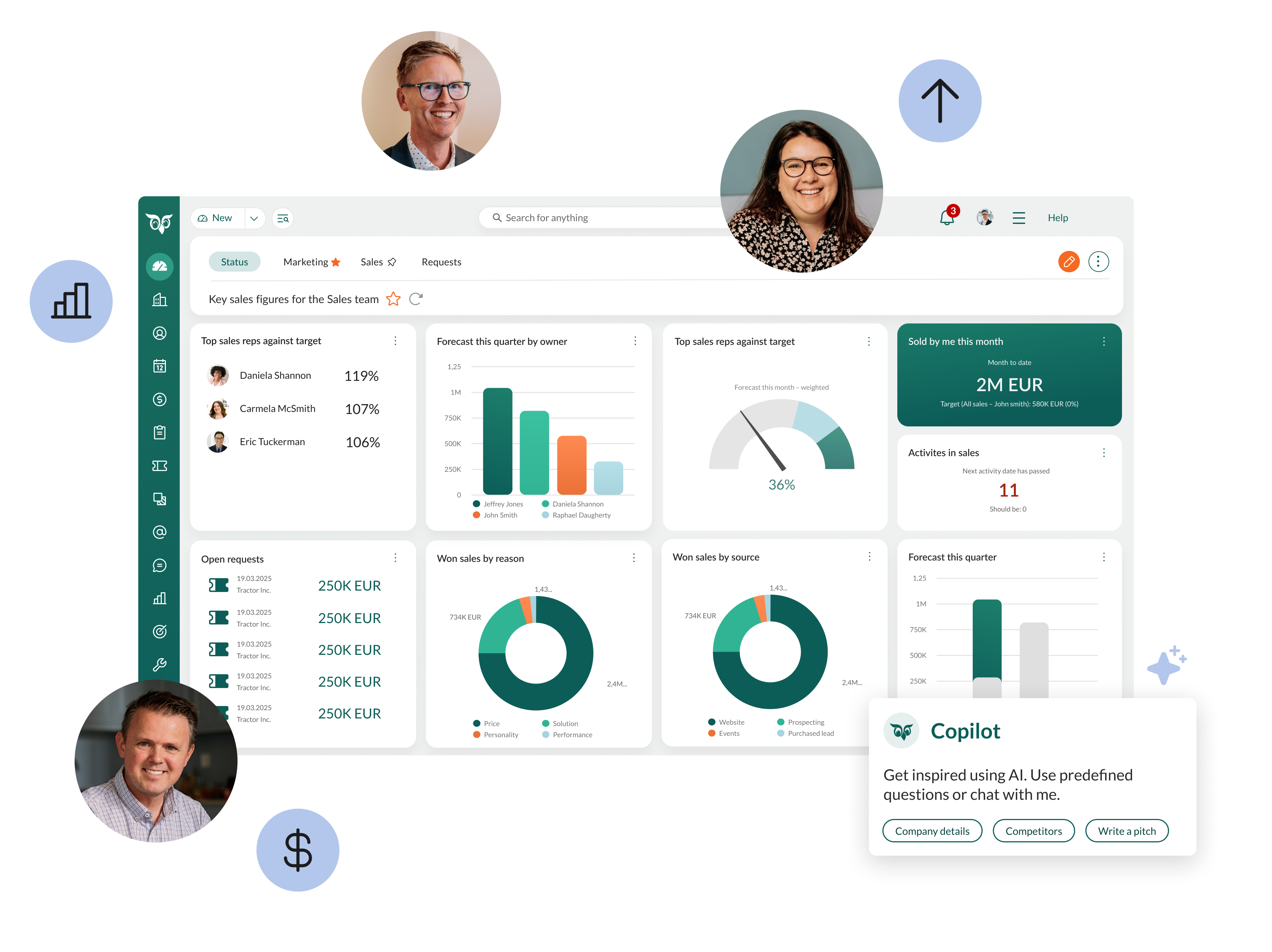
SuperOffice gives your entire customer-facing team a single shared view of every relationship. Sales sees what marketing sent. Service sees what sales promised. Everyone works from the same data, in the same system, at the same time.
There are no separate modules to licence, no additional hubs to configure, and no integration work required to connect the parts. It is all there, out of the box.
4. Fast implementation and a straightforward total cost
SuperOffice implementations typically take days to a few weeks. Fast Track templates are designed for common B2B sales processes, which means most teams do not need an external implementation partner.
Pricing is suite-based: sales, marketing, and service are all part of the platform across every plan, starting from €45 per user per month. More advanced capabilities, workflow automation, automated marketing flows, Service AI, unlock at higher tiers as your team scales. There are no separate module licences, no Azure consumption charges for core features, and no licensing complexity that requires a specialist to decode.
5. Local support from people who know your market
SuperOffice has worked with European B2B businesses since 1990, across the Nordics, DACH, Benelux, Switzerland, and the UK. On G2, SuperOffice scores 8.8/10 on quality of support against Dynamics 365 Sales’ 7.5/10. That means in-region teams, local-language support, and a genuine understanding of how B2B sales works in the markets you operate in.
When you need help, you are not navigating a global partner network. You are talking to someone who knows your context.
Choose Microsoft Dynamics 365 if you want:
1. Deep integration with an existing Microsoft ecosystem
If your organisation already runs on Microsoft 365, Teams, Azure, and other Microsoft infrastructure, Dynamics 365 offers native integration that is difficult to replicate elsewhere.
For organisations that are already heavily invested in the Microsoft stack, particularly larger enterprises with SharePoint, Power BI, Azure Active Directory, and Dynamics ERP modules, consolidating onto Dynamics 365 CRM makes sense. The integration benefits are real, and so is the switching cost if you move away later.
2. Combined CRM and ERP from a single vendor
Dynamics 365 is one of the few platforms that credibly spans both CRM and ERP functionality under one roof. Business Central is designed for SMBs that need broader operational visibility and want more than a standalone CRM, combining finance, inventory, supply chain, and customer management.
If your organisation needs that breadth, and has the resources to implement it, Dynamics is a serious contender.
3. Enterprise-scale customisation across complex, multi-department workflows
Dynamics 365 is built for complexity. If your organisation has multiple business units, highly customised sales processes, and an internal IT team capable of managing a sophisticated platform, the depth of configuration that Dynamics allows is genuinely unmatched in some areas. On G2, Dynamics 365 Sales edges ahead on overall CRM feature depth (7.8/10 vs SuperOffice’s 7.2/10) and on meeting complex requirements (8.1/10 vs 8.3/10, effectively tied).
For organisations that need a CRM to adapt entirely to their existing processes, rather than adapting their processes to fit the CRM, and have a certified Dynamics partner or internal admin to support that work, it can be the right fit.
Which CRM meets your business needs?
Use this table to match your priorities to the right platform.
| Business need | SuperOffice CRM | Dynamics 365 |
| EU data hosting included as standard | Yes – all plans, no configuration needed | EU region available; configuration required |
| GDPR compliance built in | Yes – consent management, ISO-certified | GDPR compliant; tooling varies by module and plan |
| Fast implementation wothout a partner | Yes – days to weeks with Fast Track | Typically months; most teams use a certified partner |
| All-in-one sales, marketing and service | Yes – one platform, no add-on hubs | Separate applications; each requires its own licence |
| Highest-rated ease of use and setup | Yes – 8.7/10 ease of use, 8.1/10 ease of setup on G2 | 7.5/10 ease of use, 7.2/10 ease of setup on G2 |
| Simple, all invlusive pricing | Suite-based – sales, marketing, and service included; capabilities scale with plan | Modular; separate licences for sales, marketing, and service add up quickly |
| Local-language support across Europe | Yes – in-region teams | Available via Microsoft and partner network; varies |
| Deep Microsoft 365 and Teams integration | Strong via official integrations | Native – best for organisations already on Microsoft stack |
| Combined CRM and ERP from one vendor | CRM-focused; connects to ERP via integrations | Yes – Business Central spans CRM and ERP |
| Enterprise-scale customisation and feature depth | Strong for SMB and mid-market needs | Industry-leading; best for large teams with IT resource |
| Fast time-to-vaule | Days to weeks | Months; ROI timeline typically longer |
If your organisation is deeply embedded in the Microsoft ecosystem, needs combined CRM and ERP functionality, and has the internal resources to manage a complex platform, Dynamics 365 is worth serious consideration. If you’re still working through what to prioritise, our guide to choosing a CRM vendor covers the questions worth asking before you commit.
But if you are a European B2B company that wants a CRM your team will actually use, fast to implement, easy to run, and built for the European market, SuperOffice is designed for exactly that. See also our broader roundup of the best CRM for European businesses.
Why trust SuperOffice on this comparison?
SuperOffice has been building CRM for European B2B businesses since 1990. That is over 30 years of working with sales directors, commercial managers, and service teams across the Nordics, DACH, Benelux, Switzerland, and the UK.
We are not a US platform adapting to European requirements. We are a European CRM company, founded in Oslo, with deep roots in the markets we serve. We understand what GDPR means in day-to-day operations, how B2B sales cycles differ across European markets, and what adoption actually looks like for teams of 15 versus 150. That focus shows up in independently verified numbers, not just our own claims: SuperOffice holds a 4.4/5 overall rating on G2 against Dynamics 365 Sales’ 3.8/5, and leads on ease of use, ease of setup, and quality of support.
When we describe how Dynamics 365 compares in practice, we are drawing on real conversations with businesses who have evaluated both, on verified G2 review data, and on three decades of implementation experience in the markets that matter to you.
Conclusion
Microsoft Dynamics 365 and SuperOffice CRM are both credible platforms. The choice between them comes down to fit, not features, though the G2 data shows SuperOffice ahead on the metrics that predict whether a CRM actually gets used.
Dynamics 365 is the right choice for organisations that are already committed to the Microsoft ecosystem, need combined CRM and ERP functionality, and have the internal IT resource or implementation partner to manage a complex, multi-module deployment.
SuperOffice is the right choice for European B2B companies that want a CRM their teams will actually use, with EU data hosting as standard, local-language support, suite-based pricing that covers sales, marketing, and service from day one, and an implementation that takes weeks rather than months.
If that sounds like your business, we are ready to show you what it looks like in practice.
See what SuperOffice can do for your team
Book a personalised demo and talk to one of our CRM experts. We will show you how SuperOffice can help your team work faster, sell smarter, and build stronger customer relationships.
Frequently asked questions
The core difference is scope and complexity. Microsoft Dynamics 365 is a modular enterprise platform that spans CRM, ERP, finance, and operations, built for large organisations with dedicated IT teams and deep Microsoft ecosystem investments. SuperOffice is a focused CRM platform built for European B2B companies, covering sales, marketing, and service in one integrated system, with fast implementation, suite-based pricing, and EU data hosting included as standard. On G2, SuperOffice also holds a higher overall rating: 4.4/5 versus 3.8/5 for Dynamics 365 Sales.
For many European SMBs, yes. Dynamics 365 is designed for enterprise-scale organisations and reflects that in its licensing complexity, implementation timelines, and total cost of ownership. On G2, Dynamics 365 Sales scores 7.2/10 on ease of setup compared to SuperOffice’s 8.1/10. Most SMB implementations require a certified Dynamics partner and take several months before teams are fully operational. For growing B2B companies that need to move quickly and do not have a large internal IT team, a platform like SuperOffice typically delivers faster value at a lower total cost.
Dynamics 365 Sales starts at $65 per user per month for the Professional plan. However, the licence cost is rarely the full picture. Additional modules, Customer Insights for marketing, Customer Service for support, each carry their own licence. Implementation for a typical SMB team runs between $40,000 and $80,000. When you factor in Azure hosting, Power BI, training, and ongoing support, total ecosystem costs frequently exceed the licence cost significantly. SuperOffice uses suite-based pricing where sales, marketing, and service are all included in the platform from €45 per user per month, with more advanced capabilities unlocking at higher tiers. Most teams do not require an external implementation partner.
Microsoft Dynamics 365 can be configured to store data in EU data centres via Microsoft Azure. However, EU data residency is not the default, it requires configuration and, depending on your deployment, may involve additional steps to confirm where specific data types are stored. European businesses should confirm data residency, sub-processor lists, and the Data Processing Agreement before signing. SuperOffice hosts all customer data on European servers as standard, across all plans, with no additional configuration required.
SuperOffice implementations typically take days to a few weeks, using Fast Track templates designed for common B2B sales processes. Most teams do not need an external partner. Dynamics 365 implementations for SMBs typically take three to twelve months and almost always involve a certified Dynamics implementation partner. For European businesses that need to move quickly or do not have a large internal IT team, this difference in time-to-value is significant.
Yes. SuperOffice integrates with Microsoft Outlook, Microsoft 365, and Teams. Emails, meetings, and activities logged in Outlook can be synced directly to SuperOffice contact and company records, keeping your CRM data current without double entry. For organisations that use Microsoft 365 as their productivity suite, SuperOffice works alongside it, without requiring you to adopt the broader Dynamics ecosystem.
Yes. SuperOffice supports data migration from Microsoft Dynamics 365 and most other major CRM platforms. The process typically involves exporting contacts, accounts, activities, and pipeline data from Dynamics, cleaning the data, and importing into SuperOffice. SuperOffice’s implementation team and local partners can support this process. Most teams find it practical to migrate active data from the past 12 to 18 months, archiving older records rather than carrying them across in full.
Related articles:


